These channels encourage community engagement through contests, surveys to collect member feedback and events for organizing online or on-site gatherings.
Types of channels
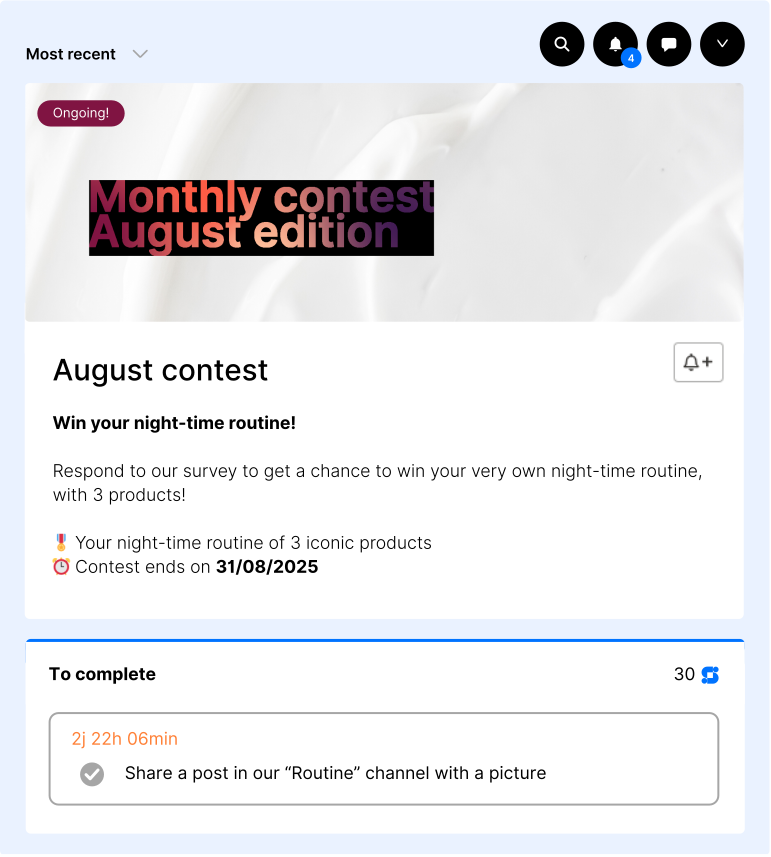
This channel collects all ongoing and past contests, making it easy for members to find, join, and track them. It boosts engagement and encourages friendly competition. Adding this channel to your home banner ensures contests are easily accessible to all community members.
Use case: boost engagement and generate UGC.
You can only create one Contest channel in your community.
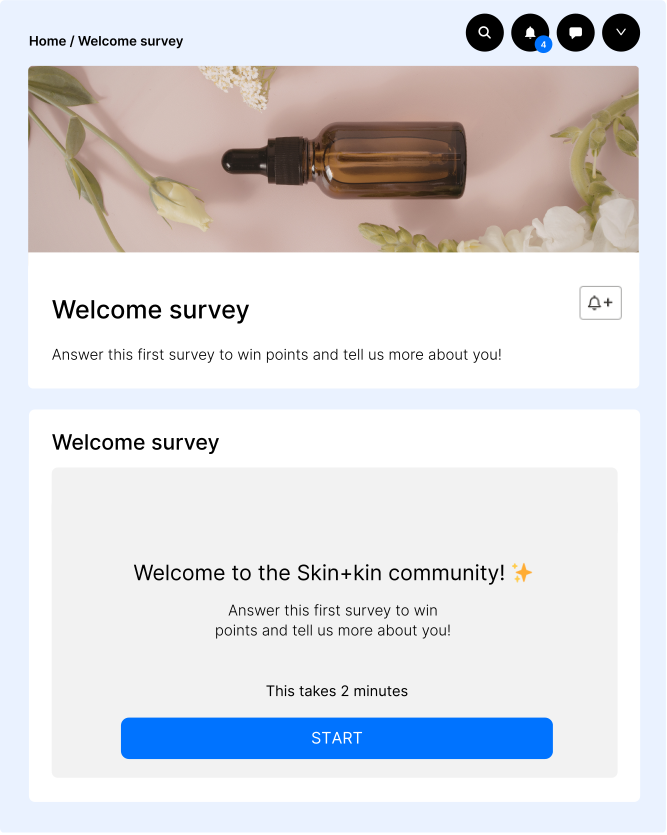
A Survey Channel is used to display and manage surveys within the community. It allows one survey to be hosted at a time, with the integration of tools like Typeform to collect responses from members.
Use case: collect quantitative insights and understand your audience.
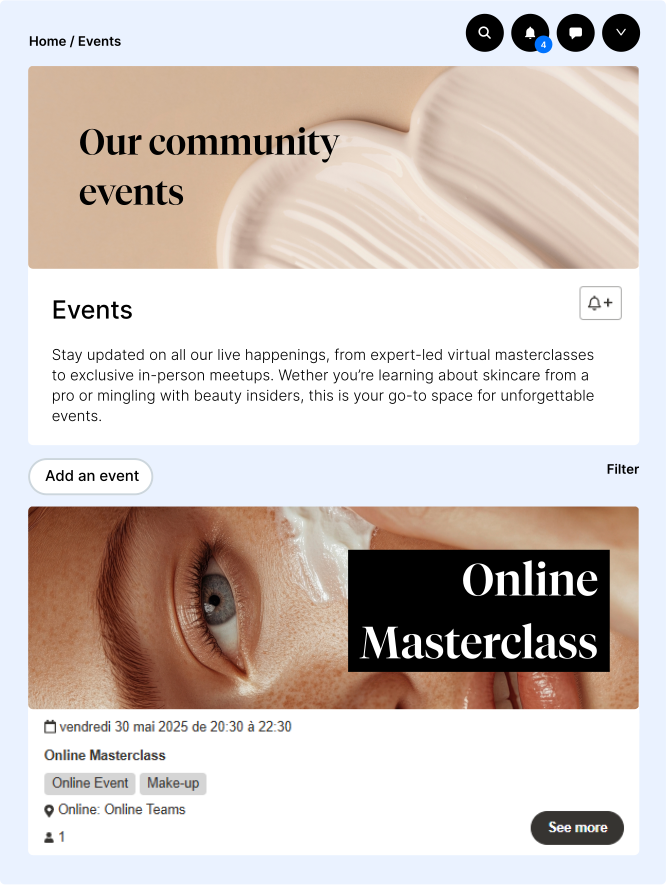
An Event Channel is dedicated to hosting and managing online or on-site events. It provides a link to the event on a video platform (such as Zoom or Teams) and gathers all event-related information in one place.
Use case: animate your community with live or online experiences.
Create your engagement channel
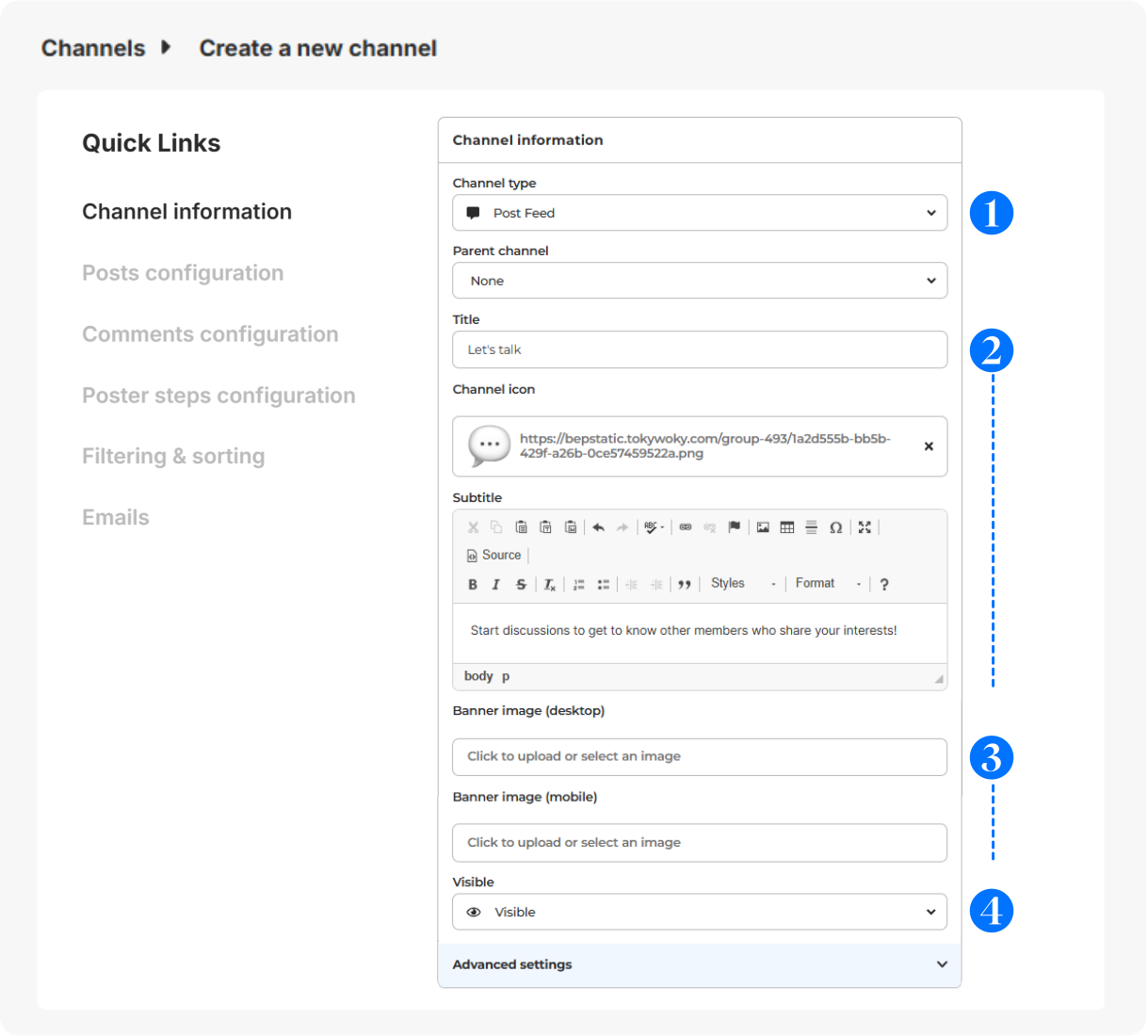
In Configuration > Channels, click on + Add a channel.
- Choose your engagement channel type.
- Give it a title (short and clear for menu display), icon (optional - displayed before the title - 16x16px) & subtitle (to guide your members).
- Select a banner (svg, png or jpg) for desktop (640x200px) or mobile (360x140px).
- Visibility: Visible (to all users), Hidden (to all users, for deactivation), Limited (restricted to certain users for exclusive access), Link (private access with a link).
Advanced configuration
For more details on the configuration of the other sections (Posts configuration, Comments configuration, Poster steps configuration, Filtering & sorting and Emails), please check this article.
Members interactions on the channel
Here's what members can do on each type of channel:
- Contest: This channel gathers all current and past contests, allowing community members to easily find, participate in, and track competitions. It fosters engagement and friendly competition within the community.
- Survey: Members can participate by completing the survey, providing their responses and feedback. They might be able to view the survey questions and submit their answers.
- Event: Members can view event details, register or RSVP for the event, and access the event link to join online sessions. For on-site events, they may find information on location and schedule.
Contests on your channels
Contests cannot be associated with either a Survey or an Event channel.
For more information on how to create and manage competitions, please check this article.