These channels encourage community interaction through user-generated content and discussions, but also peer-to-peer support.
Types of channels
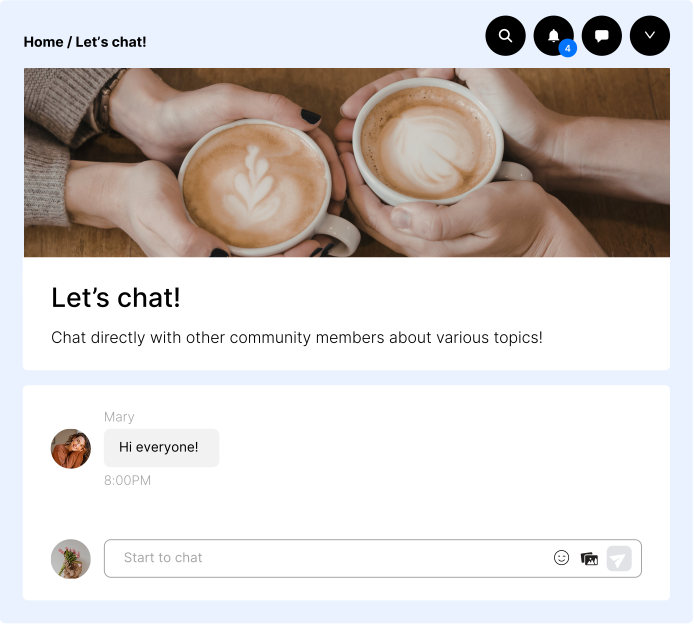
A real-time chat channel for message exchange between community members. Does not support metaposts or contest linking.
Use case: create topic-specific chatrooms, spontaneous interactions, foster connection and community bonding.
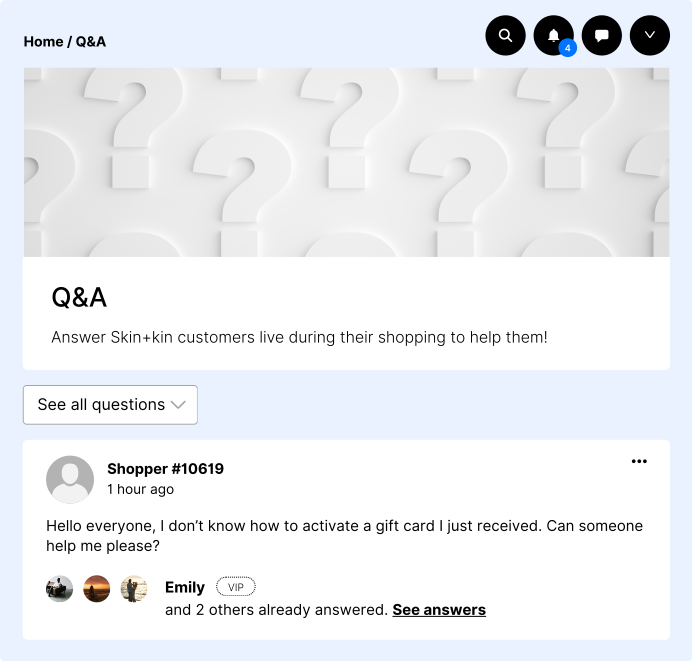
This channel displays questions asked by visitors on your e-commerce site, providing a space for community interaction and assistance (Community Chat required).
Use case: encourage peer-to-peer support.
You can only create one question channel.
Create your engagement channel
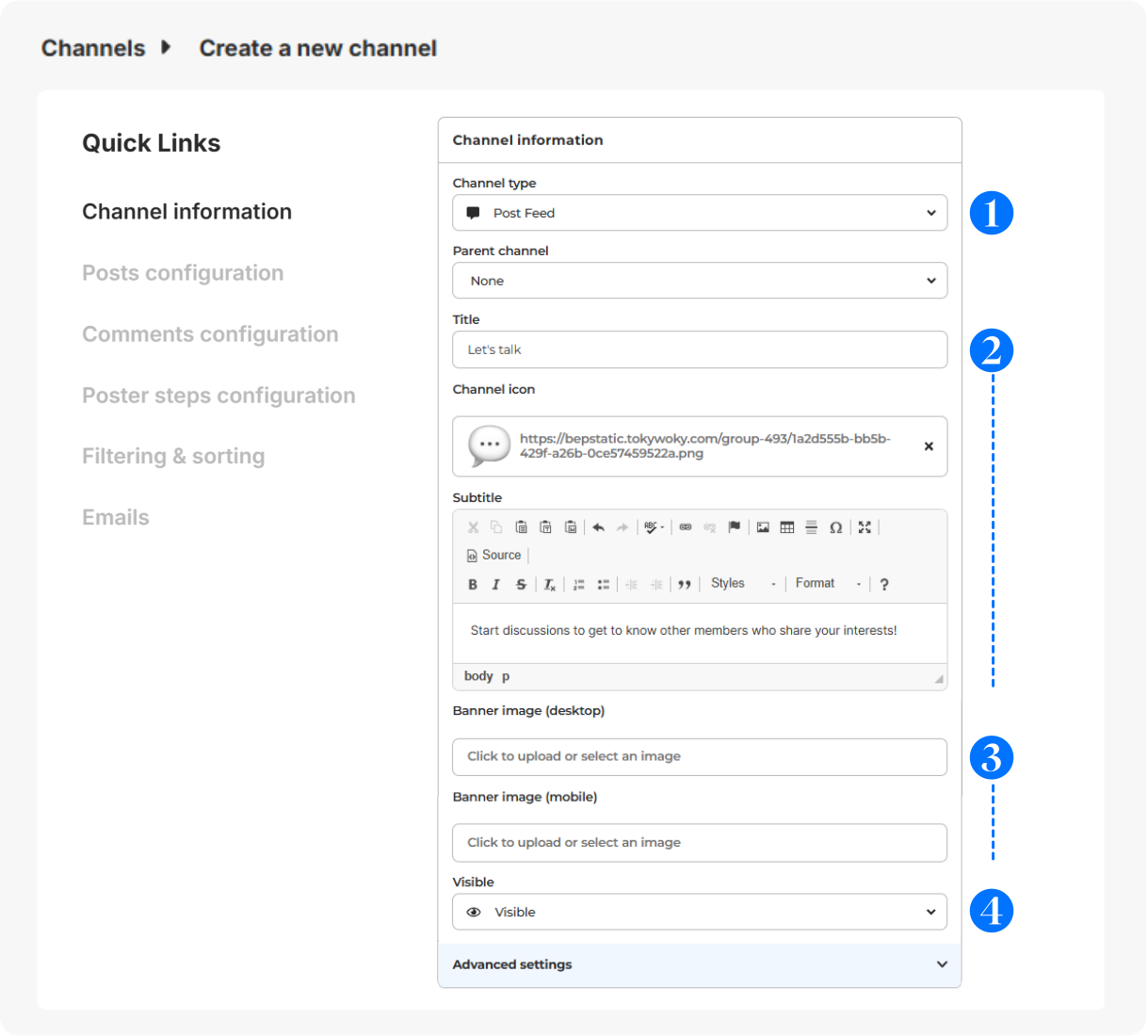
In Configuration > Channels, click on + Add a channel.
- Choose your interactive channel type.
- Give it a title (short and clear for menu display), icon (optional - displayed before the title - 16x16px) & subtitle (to guide your members).
- Select a banner (svg, png or jpg) for desktop (640x200px) or mobile (360x140px).
- Visibility: Visible (to all users), Hidden (to all users, for deactivation), Limited (restricted to certain users for exclusive access), Link (private access with a link).
Advanced configuration
For more details on the configuration of the other sections (Posts configuration, Comments configuration, Poster steps configuration, Filtering & sorting and Emails), please check this article.
Contests on your channels
Contests cannot be associated with either a Chatroom or a Question channel.
For more information on how to create and manage competitions, please check this article.