Product channels focus on showcasing products, fostering discussions, and engaging your community with relevant updates and feedback.
You can only create one channel of each type of product-related channels in the community: one Product Testing channel, one Routine channel, one Product Feed channel, and one Product Pairing channel.
First, you need to have a product catalog set up on your back office. To know how to import a product catalog, please check this article.
Types of product-related channels
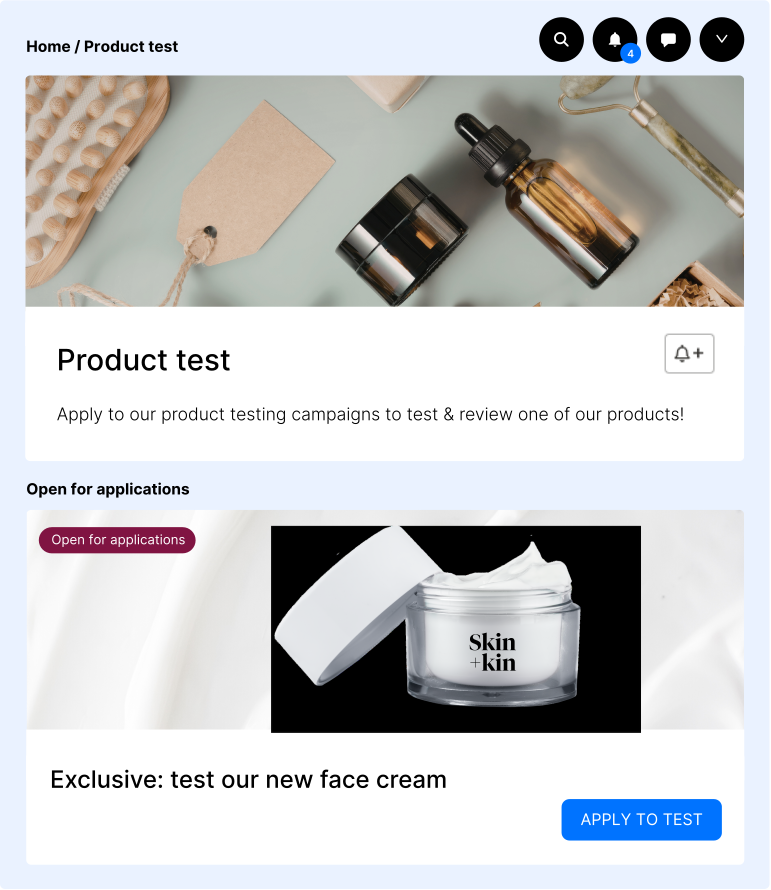
This channel allows community members to follow and participate in product testing campaigns. It can help you gather feedback from users who test products, fostering engagement and improving product development through real-world user insights.
Use case: collect detailed feedback and engage loyal members.
In this channel, members can pair different products together, often highlighting complementary items. It's a creative way for the community to share product combinations, which can drive discovery and sales.
Use case: highlight product combinations.
This channel lets members describe their personal routines and tag relevant products. It encourages sharing experiences and advice, while also linking to products in a brand's catalog.
Use case: show how products fit into daily habits.
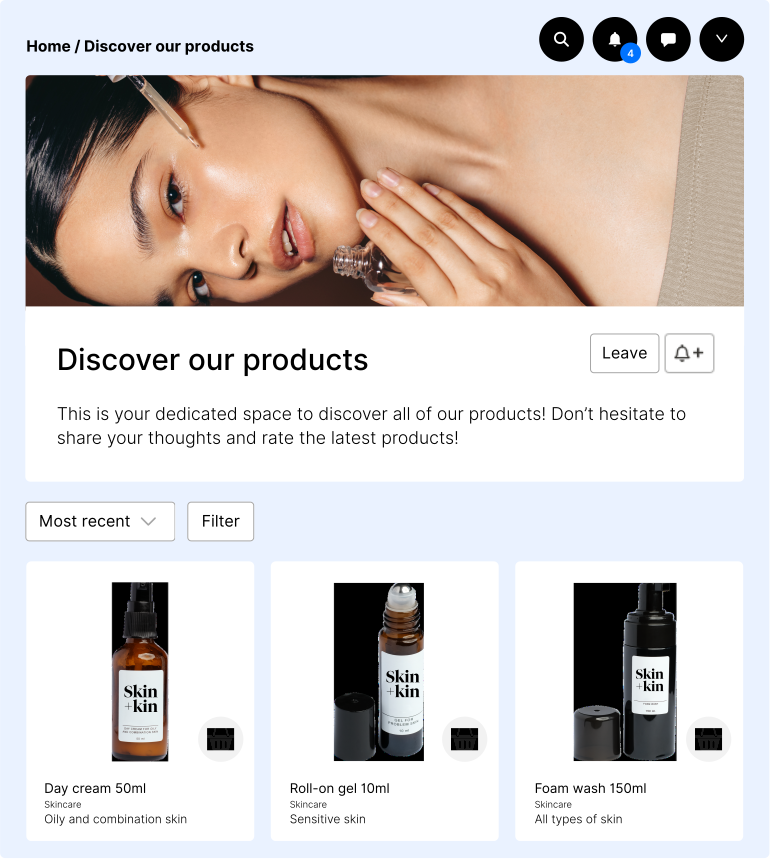
A dedicated channel where a product catalog is displayed. It serves as a platform for discussion, feedback, and engagement, similar to a social media feed, where users can share their thoughts and opinions on the listed products.
Use case: support product discovery and collect feedback.
Create a product related channel
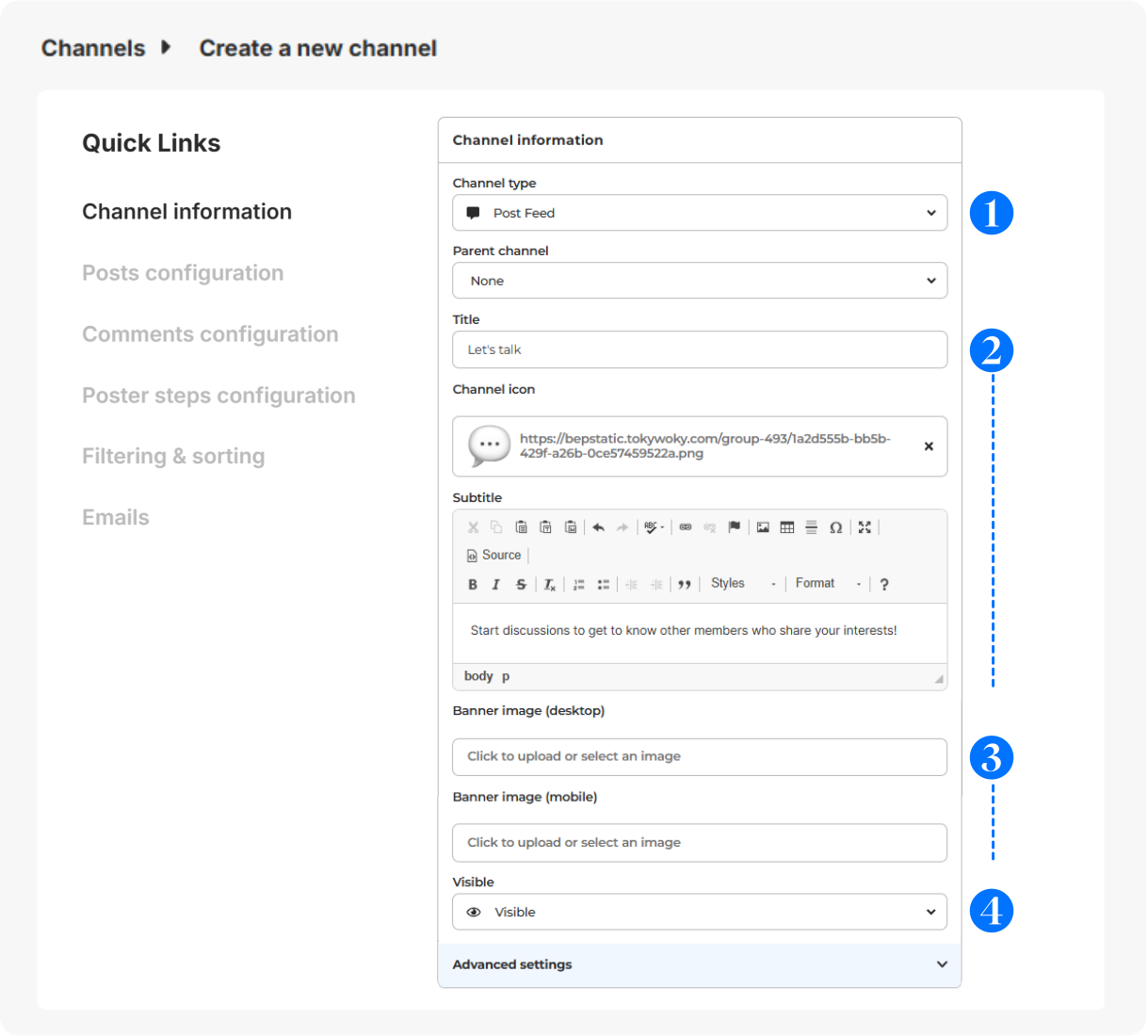
In Configuration > Channels, click on + Add a channel.
- Choose your product related channel type.
- Give it a title (short and clear for menu display), icon (optional - displayed before the title - 16x16px) & subtitle (to guide your members).
- Select a banner (svg, png or jpg) for desktop (640x200px) or mobile (360x140px).
- Visibility: Visible (to all users), Hidden (to all users, for deactivation), Limited (restricted to certain users for exclusive access), Link (private access with a link).
Advanced configuration
For more details on the configuration of the other sections (Posts configuration, Comments configuration, Poster steps configuration, Filtering & sorting and Emails), please check this article.
Members interactions on the channel
Here's what members can do on each type of channel:
- Product Testing: Members can participate in product testing, track progress, and provide feedback on the products they test.
- Product Pairing: Members can create and share combinations of different products, suggesting how they work well together or complement each other.
- Routine: Members can describe their personal routines (e.g., skincare), tag products from the brand’s catalog, and share experiences or tips with others.
- Product Feed: Members can view, like and comment on your products catalog, offering feedback, reviews, and recommendations.
Contests on product related channels
You can create contests linked directly to a product testing, a product pairing and a routine channel, allowing you to engage your audience with time-limited competitions.
Contests cannot be linked to a Product Feed Channel.
For more information on how to create and manage contests, please check this article.