A blog channel lets users create and share customizable posts, often for product feedback or awareness.
A blog channel is an informative channel (used to share content and guide members). Brand collaborators and community members can include text, images, and videos, fostering engagement through comments and likes.
How does it look
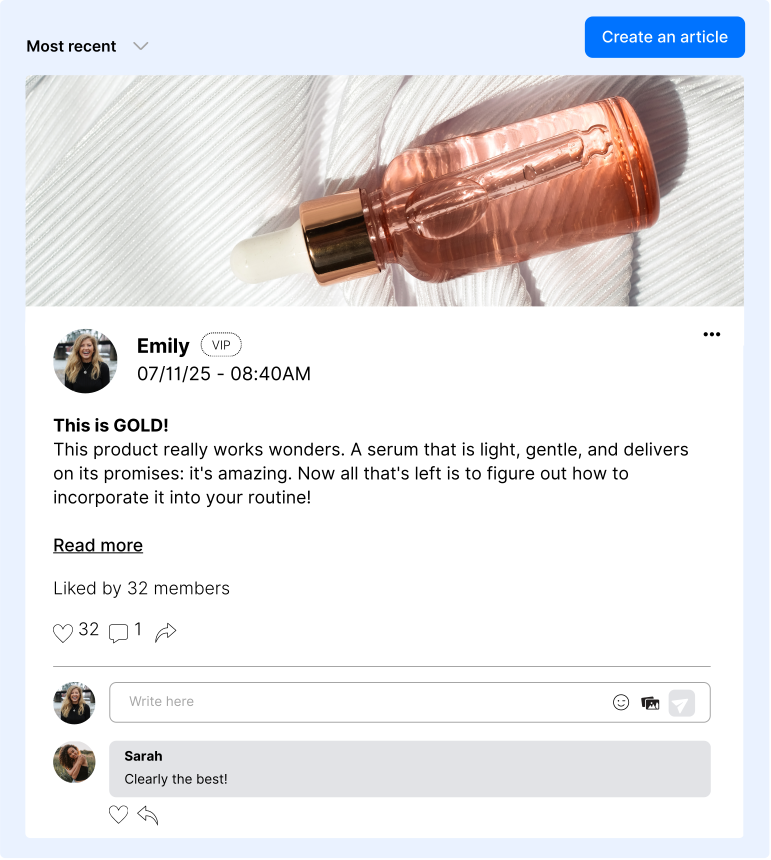
It looks like a traditional blog, featuring customizable posts with a banner image at the top.
The banner size is mandatory, set at 640x200px. If the image doesn't meet these sizes, it will be cropped automatically.
Create your Blog channel
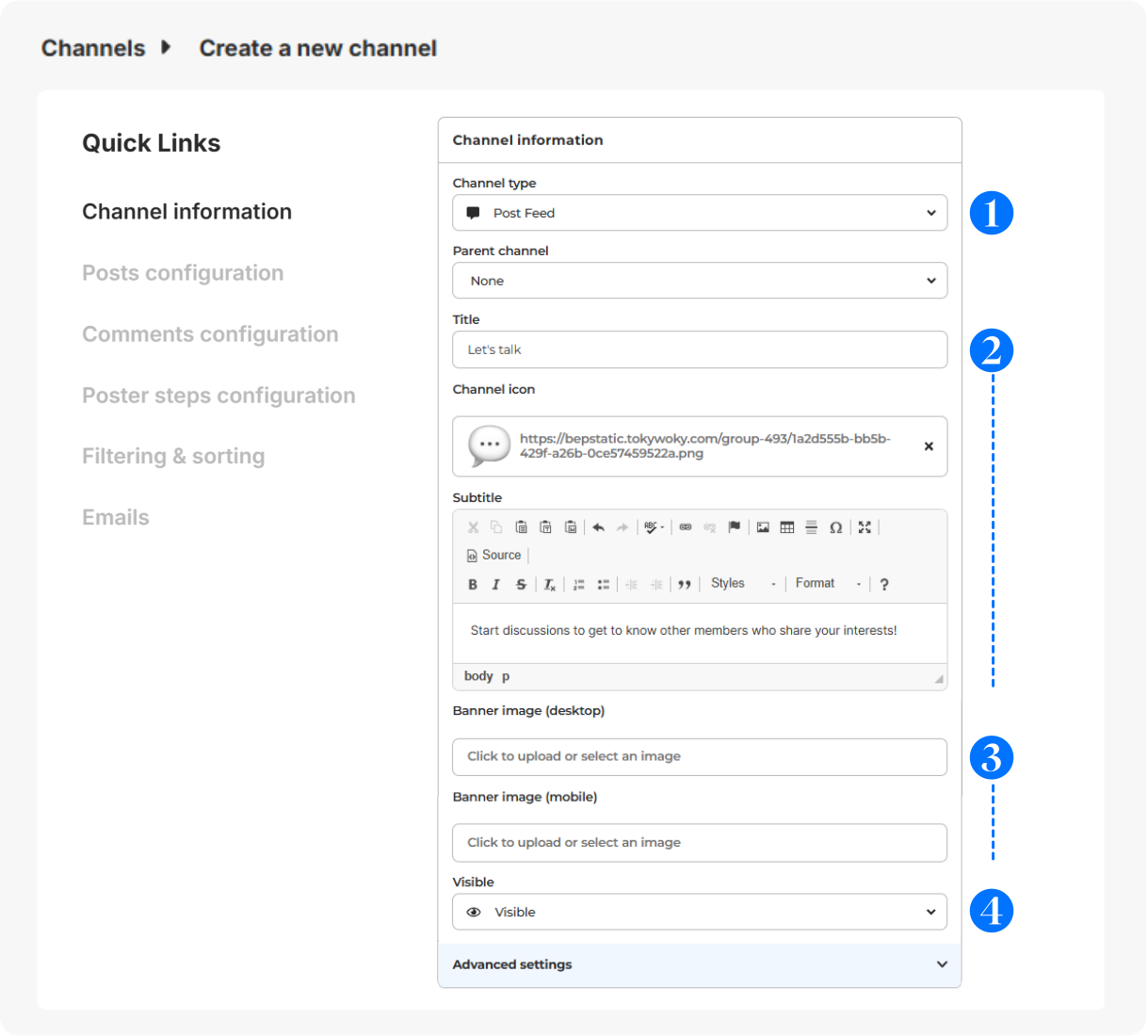
In Configuration > Channels, click on + Add a channel.
- Choose Blog as channel type.
- Give it a title (short and clear for menu display), icon (optional - displayed before the title - 16x16px) & subtitle (to guide your members).
- Select a banner (svg, png or jpg) for desktop (640x200px) or mobile (360x140px).
- Visibility: Visible (to all users), Hidden (to all users, for deactivation), Limited (restricted to certain users for exclusive access), Link (private access with a link).
Advanced configuration
For more details on the configuration of the other sections (Posts configuration, Comments configuration, Poster steps configuration, Filtering & sorting and Emails), please check this article.
Members interactions on the channel
Members can post, comment, tag products, and/or share content as per the configuration you set during the channel creation.
Contests on a Blog channel
You can create contests linked directly to a blog channel, allowing you to engage your audience with time-limited competitions.
During the contest period, the entries will be displayed in the Ongoing Contests section, and once the contest concludes, it will be automatically archived on the associated blog channel for future reference and visibility.
The photos posted on the contest will have a social media format while the contest is still open. Once over, they will appear in a blog format (640x200px) in the blog channel.
For more information on how to create and manage contests, please check this article.